Help with adding
How to add a Foot24.be calendar to your calendar app. Set it up once, and changes to the fixture list come in automatically.
Foot24.be as an app on your phone ↓
How to add the calendar to your iPhone?
- Click on Apple Calendar
- Confirm the URL
- Click the "Confirm" button
- The match calendar has now been successfully added to your calendar
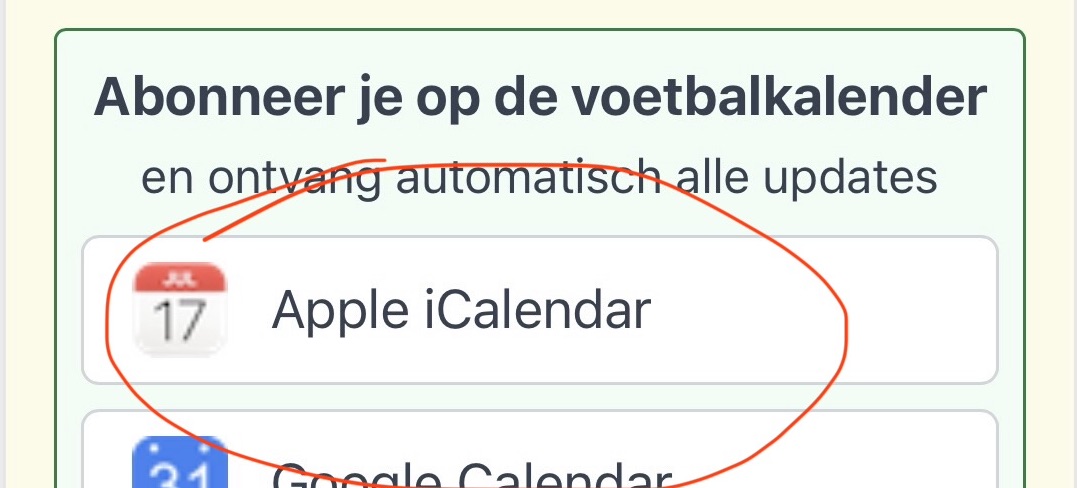

How to add the calendar to Apple iCloud Calendar?
- Open the Apple Calendar app
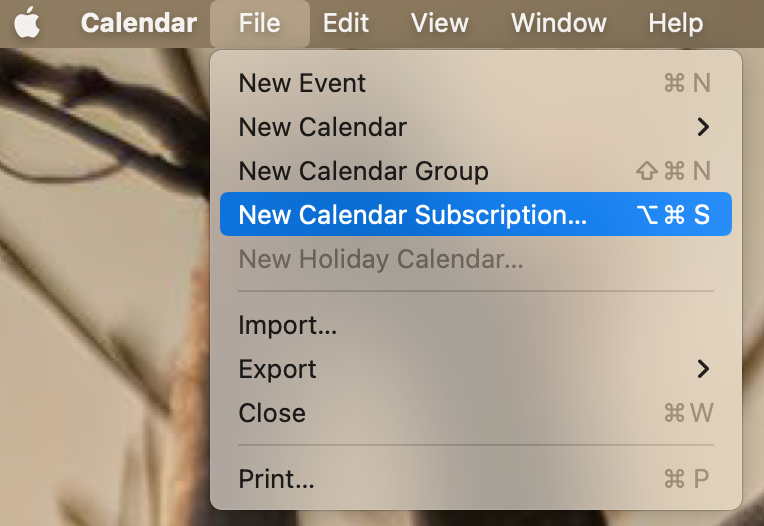
- In the menu bar, select "New calendar subscription"
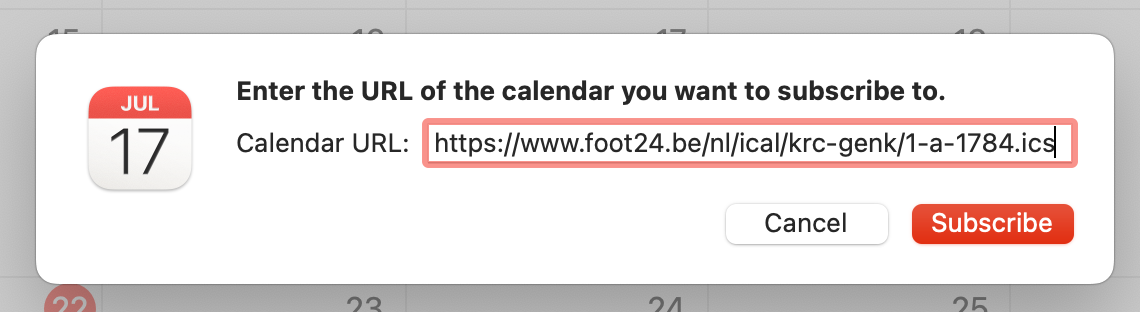
- Paste the calendar URL in the field and click "Subscribe"
- Optionally change the name of the calendar in the next window
- Make sure the calendar automatically refreshes by enabling "Auto-refresh"
- Click OK to confirm and add the football calendar

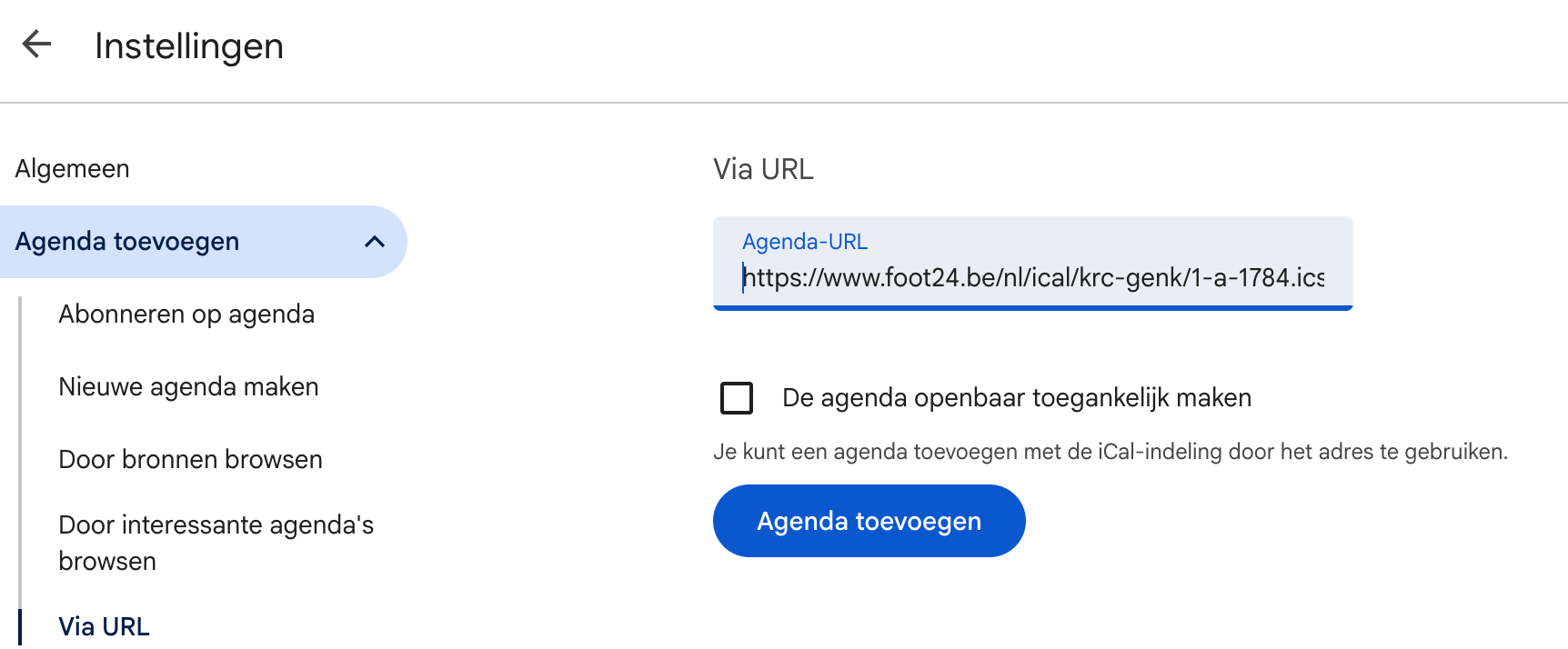
How to add the calendar to Google Calendar?
- Open Google Calendar
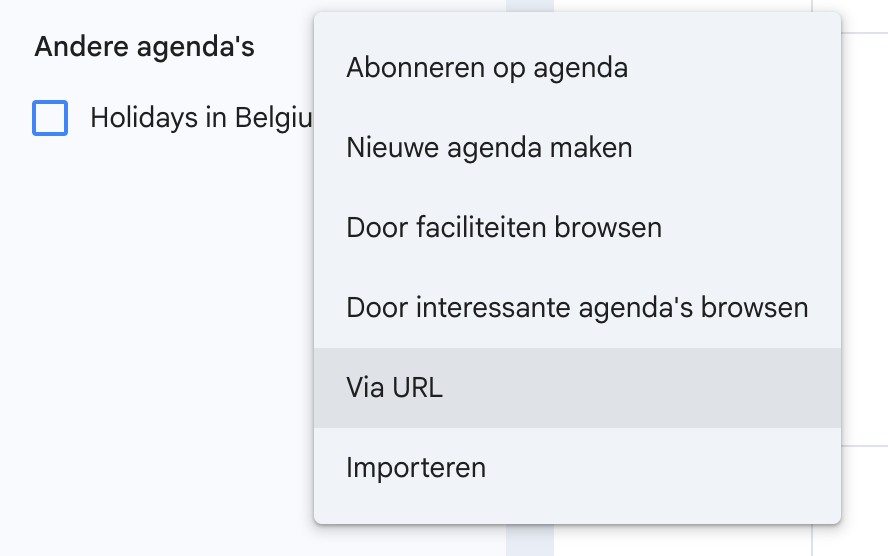
- Go to the "Other calendars" section and choose "Add by URL"
- Paste the calendar URL in the field and click "Add calendar"
- The match calendar has now been successfully added to your calendar

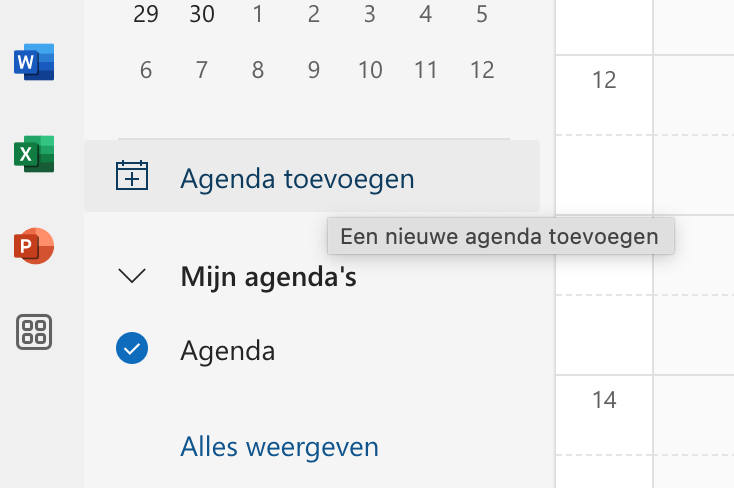
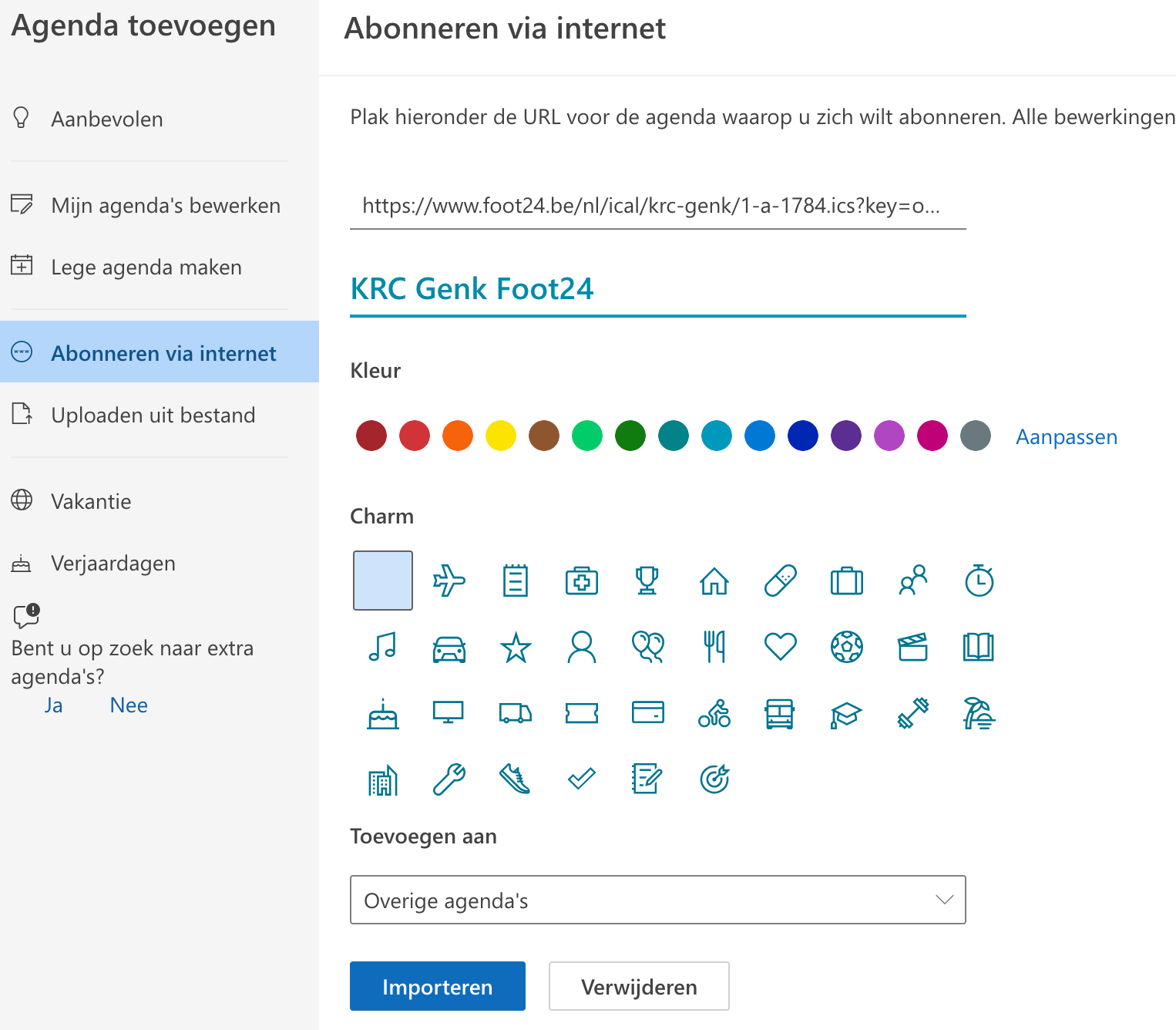
How to add the calendar to Outlook.com?
- Open Outlook Calendar
- Go to the "Add calendar" section and choose "Subscribe from web"
- Paste the calendar URL, give it a recognizable name, and click "Import"
- The match calendar has now been successfully added to your calendar

How to add the calendar to the Teamy app?
How it works: copy the iCal link, create a new schedule in Teamy and choose Import schedule. Paste the URL; Teamy recognises your team's matches and sets up the schedule right away for the whole team.
Detailed instructions ↗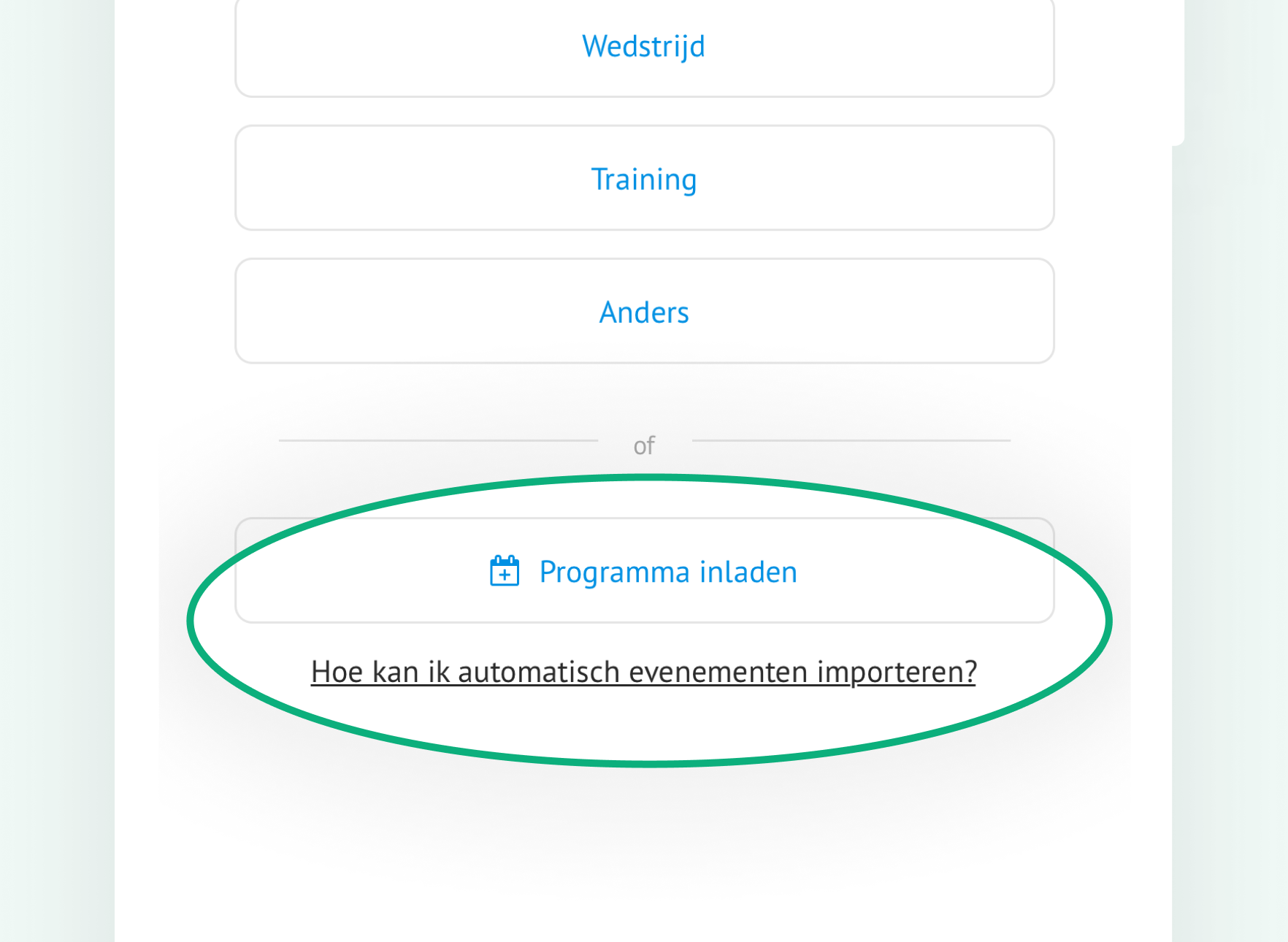
Foot24.be as an app on your phone
Put Foot24.be on your phone’s home screen and open it with one tap, just like an app. No app store needed.
iPhone and iPad (Safari)
- Open Foot24.be in Safari and tap Share at the bottom (a square with an arrow pointing up). If you don’t see that button, tap ··· first.
- Scroll down the menu and tap Add to Home Screen.
- Tap Add in the top right.
- The Foot24.be icon is now on your home screen.
9:41100%

foot24.be
‹›
▢⧉
9:41100%
Copy
Add to Reading List
Add to Home Screen
9:41100%
Cancel
Add
 Foot24
9:41100%
Foot24
Android (Chrome)
- Open Foot24.be in Chrome and tap the three dots ⋮ in the top right.
- Tap Add to Home screen or Install app.
- Confirm with Add or Install. The Foot24.be icon is now on your home screen.
9:41100%
foot24.be
⋮
9:41100%
foot24.be
⋮
New tab
Bookmarks
Add to Home screen
9:41100%
Foot24